Capabilities and parameters。
Deliverables, key parameters and account integration. For use cases and FAQs, go back to the overview.
Product introduction
Deliverables
- 01
No coding required
Configure the device tree, parameter table, and logic diagram, and you have a complete configuration — no programming required.
- 02
Run it on the virtual device first
The whole machine runs inside your computer, faults included: overspeed, upper and lower limit switches, door-close timeout, encoder pulse loss — you can meet each of them in the virtual world first.
- 03
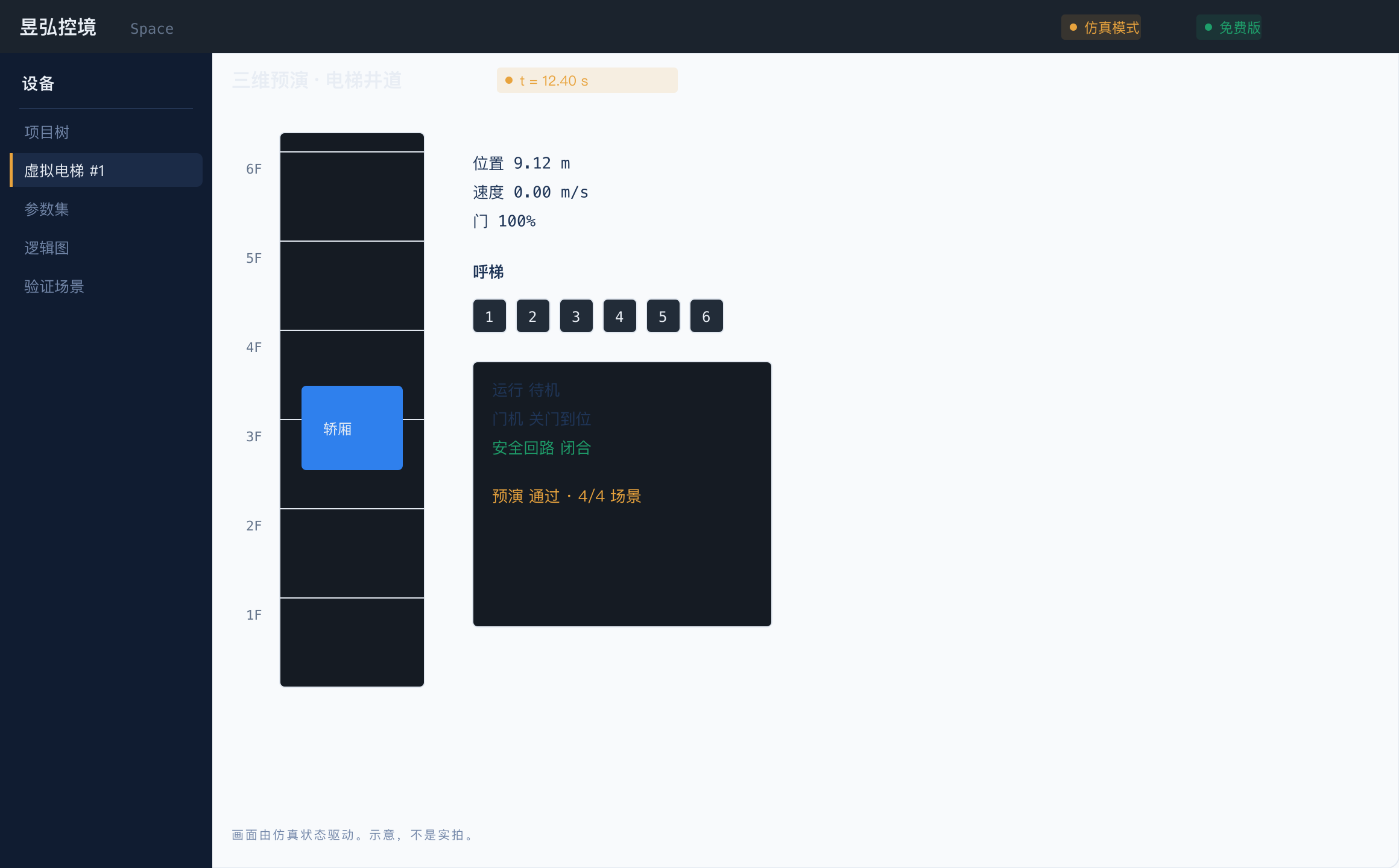
The 3D view is driven by the simulation
Motion on screen isn't animation; it's the real state of the simulation. If the numbers don't add up, the picture won't move.
- 04
Writing is only allowed after the rehearsal passes
Before parameters go to the real machine, they must pass validation and rehearsal — anything that fails can't go through.
- 05
Simulation and the real machine are strictly isolated
The two modes have different colors and different entry points on screen — nothing you do in virtual mode ever reaches the real device.
- 06
Read chips, back up and flash firmware
Plug in a debug probe to identify the board's MCU; back up the factory firmware before flashing, and fix the probe driver in one click.
- 07
Repair diagnostics
Light indicators one by one on the bench to build a map and analyze firmware structure offline to find faults faster. For repair and your own equipment only.
- 08
Quick setup and onboarding
Answer a few questions to configure an elevator, with linked parameters corrected automatically; a checklist walks you through your first run.
- 09
The assistant works the day you install
Press Ctrl+/ and ask in one sentence: report the current state, check parameters, suggest a configuration, run preflight, diff the changes, analyse a fault, switch mode. It runs offline too. Every step it takes is visible in the interface, and writing to a real device still needs your own confirmation on the console.
- 10
Switching devices only means switching the device pack
One device type is one package: parameters, logic, simulation and UI all inside. The free PLC example package is given exactly as the pattern for writing your own device package; adding a device type means building a package, not relearning the workbench.
Key parameters
| Form | Desktop workbench (Electron + native Go core) |
|---|---|
| Platform | Windows 7+ / macOS 12+ / Linux (by email request) |
| Device packages available now | Elevator control system (ELSC05 board: virtual simulation, rehearsal and flashing all work; the real-machine protocol is integrated per project) + a free PLC example package |
| Free | Simulation, 3D, logic, parameter editing, smart setup, the guided first run, chip identification and the sample device package. Three ceilings apply: 3 projects, 1 real machine per project, no production device packages |
| Paid | Real-machine writes, firmware backup and diagnostic export (Engineering edition and up); firmware flashing, online debugging and repair diagnostics (Professional edition); production device packages |
Account
This product uses Yuhox unified sign-in. Sign-in, password recovery, avatar and profile are handled on the unified account site; this site has no separate sign-in form.